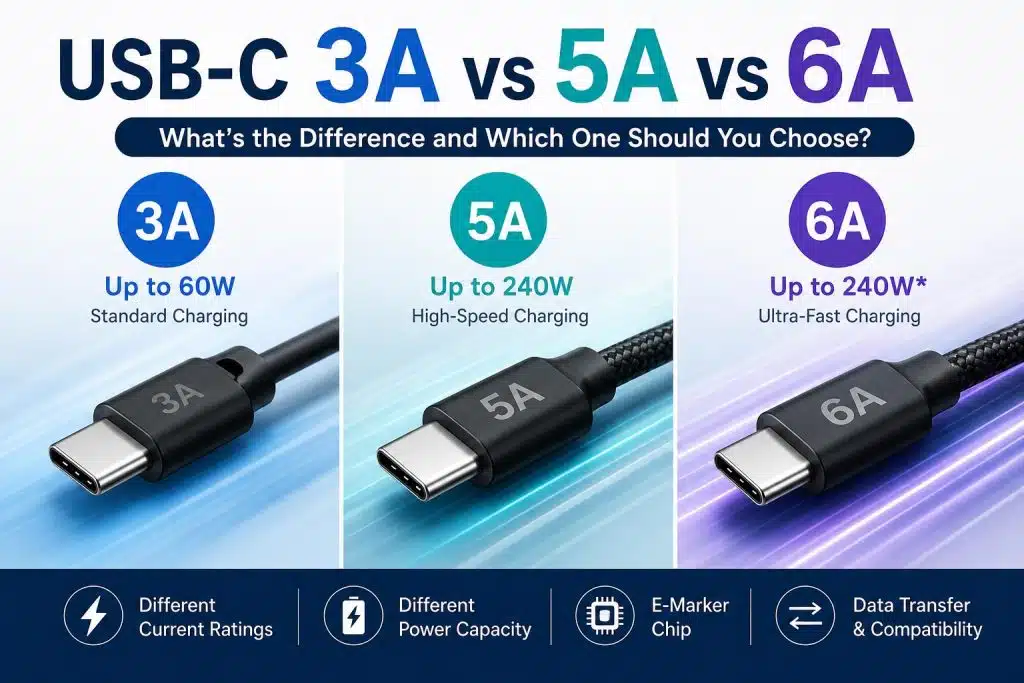




USB-C cables may look almost identical on the outside, but their charging capabilities can vary significantly. One of the most common questions buyers ask is:
What is the difference between 3A, 5A, and 6A USB-C cables?
Understanding these ratings is important when selecting cables for smartphones, tablets, laptops, power banks, and other USB-C devices.
Understanding Current Ratings in USB-C Cables
The “A” in 3A, 5A, and 6A stands for Amps, which measures the amount of electrical current a cable can safely carry.
Higher current capacity allows a cable to deliver more power to compatible devices.
Power Formula
P=V×I
Where:
- P = Power (Watts)
- V = Voltage (Volts)
- I = Current (Amps)
USB-C 3A Cable
A standard 3A USB-C cable typically supports:
| Specification | Value |
|---|---|
| Current | 3A |
| Maximum Power | Up to 60W |
| Data Speed | USB 2.0 or USB 3.0 |
| E-Marker Required | No |
Typical Applications
- Smartphones
- Tablets
- Bluetooth speakers
- Wireless earbuds
- Portable gaming devices
For most everyday devices, a 3A cable is sufficient.
Example
20V × 3A = 60W
A 60W charger combined with a 3A cable can safely charge many laptops and tablets.
USB-C 5A Cable
A 5A USB-C cable is designed for higher-power charging.
| Specification | Value |
|---|---|
| Current | 5A |
| Maximum Power | Up to 240W |
| E-Marker | Required |
| USB PD Support | Yes |
Typical Applications
- MacBook Pro
- Dell XPS
- Lenovo ThinkPad
- Gaming laptops
- USB-C monitors
Because of the higher current, USB-IF standards require a built-in E-Marker chip for proper power negotiation.
Without an E-Marker, many chargers will automatically limit charging power.
USB-C 6A Cable
6A USB-C cables are becoming increasingly popular in certain fast-charging ecosystems.
| Specification | Value |
|---|---|
| Current | 6A |
| Maximum Power | Up to 120W–240W* |
| E-Marker | Usually Required |
| Primary Use | Proprietary Fast Charging |
Typical Applications
- Xiaomi HyperCharge
- Huawei SuperCharge
- OPPO SuperVOOC
- OnePlus Fast Charging
Many 6A cables are optimized for specific charging protocols and may not deliver 6A performance on all devices.
Therefore, compatibility should always be verified before purchase.
Comparison Chart

Do You Need a 5A or 6A Cable?
Not necessarily.
Many users purchase a high-current cable even though their devices never exceed 30W or 45W charging.
Choose a 3A Cable If:
- Charging phones
- Charging tablets
- Using power banks
- Using Bluetooth devices
Choose a 5A Cable If:
- Charging laptops
- Using 100W chargers
- Using 140W chargers
- Need USB PD 3.1 compatibility
Choose a 6A Cable If:
- Your device specifically requires a proprietary 6A charging protocol
- You need maximum charging speed from compatible brands
What Is an E-Marker Chip?
An E-Marker (Electronically Marked Cable) is a small chip inside certain USB-C cables.
It communicates with chargers and devices to verify:
- Current capability
- Voltage capability
- Data transfer capability
- USB protocol support
Most high-quality 5A and 240W USB-C cables include an E-Marker chip.
Final Thoughts
When comparing USB-C 3A vs 5A vs 6A cables, the best choice depends on your device and charging requirements.
- 3A cables are ideal for everyday charging up to 60W.
- 5A cables support USB Power Delivery and high-power laptop charging.
- 6A cables are generally used for specialized fast-charging systems from specific manufacturers.
For businesses sourcing USB-C cables in bulk, selecting the correct current rating helps ensure safety, compatibility, and optimal charging performance.
Looking for a reliable USB-C cable manufacturer?
ANSEIP provides wholesale and OEM USB-C cables with 3A, 5A, and 6A options, supporting fast charging, USB PD, E-Marker chips, custom branding, and global bulk supply.
👉 Internal Link:
https://www.anseip.com/wholesale-usb-cable/